Product & Brand
Product & Brand Prompt Template
Use Cases
- Suitable for Product & Brand AI image generation workflows, with reusable structure for fast iteration.
- Best for product hero shots, packaging proposals, and brand campaign visuals.
Notes
- Replace placeholders (such as
[OBJECT]and{variable}) with concrete subjects and contexts. - Keep core constraints first (composition, lighting, lens, materials), then add style modifiers gradually.
- If results become noisy, reduce prompt density and reintroduce key elements step by step.
#Product & Brand
作者@AmirMushich来源链接https://x.com/AmirMushich/status/2024533642555371878
Prompt 模板
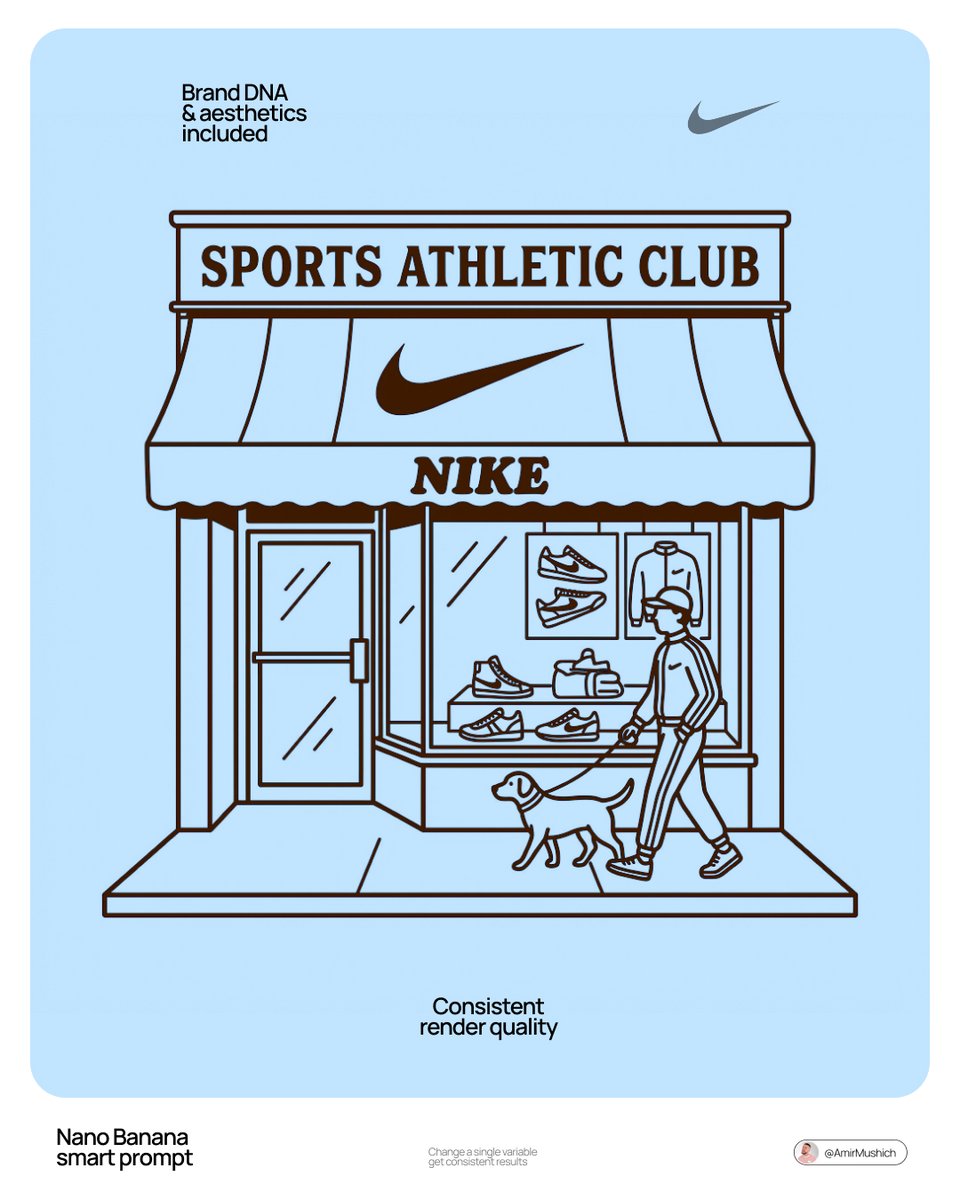
[BRAND NAME] | [SUBJECT_TOGGLE]. Act as a Lead Graphic Designer.

PHASE 1: ARCHITECTURAL SETTING.

Create a minimalist 2D vector illustration of a vintage-style storefront representing [BRAND NAME].

- Autonomously design the facade (Modernist, Industrial, or Classic) to match the brand's heritage.

PHASE 2: SUBJECT LOGIC (TOGGLE SYSTEM).

- If [SUBJECT_TOGGLE] is "OFF": Show only the empty storefront.

- If [SUBJECT_TOGGLE] is "ON": Autonomously add 1-2 characters or a pet that fits the brand's lifestyle.

PHASE 3: DYNAMIC TYPOGRAPHY (CORRECTED).

- Header: Autonomously generate a high-status "Club" or "Community" title based on the nature of [BRAND NAME]. * Examples: For Starbucks — "Coffee Roasters Society"; for Nike — "Elite Runners Club"; for Apple — "Digital Creators Guild".

- Branding: Place the [BRAND NAME] logo clearly on the storefront awning.

- Contextual Info: Below the awning, add "EST. [REAL FOUNDING YEAR]" and "[REAL ORIGIN CITY]".

PHASE 4: VISUAL STYLE.

- Two-tone palette: [BRAND SIGNATURE COLOR] on a pure white background.

- Style: 1950s-60s Retro Line Art. No gradients, no shadows.

TECH SPECS:

Flat 2D vector, 8k resolution, monochrome aesthetic, centered composition.
示例图片