Photography
Photography Prompt Template
Use Cases
- Suitable for Photography AI image generation workflows, with reusable structure for fast iteration.
- Best for portrait, fashion, and social campaign imagery.
Notes
- Replace placeholders (such as
[OBJECT]and{variable}) with concrete subjects and contexts. - Keep core constraints first (composition, lighting, lens, materials), then add style modifiers gradually.
- If results become noisy, reduce prompt density and reintroduce key elements step by step.
#Photography
作者@john_my07来源链接https://x.com/john_my07/status/2001888275724984383
Prompt 模板
{
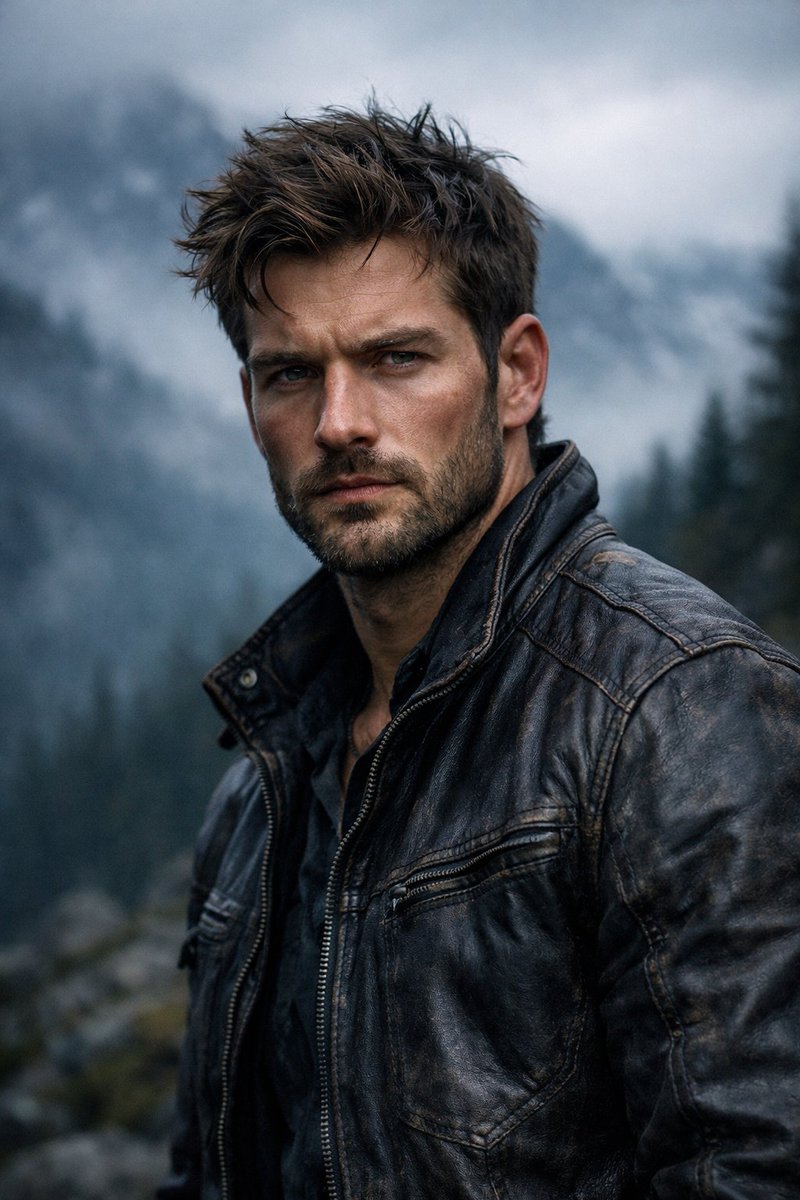
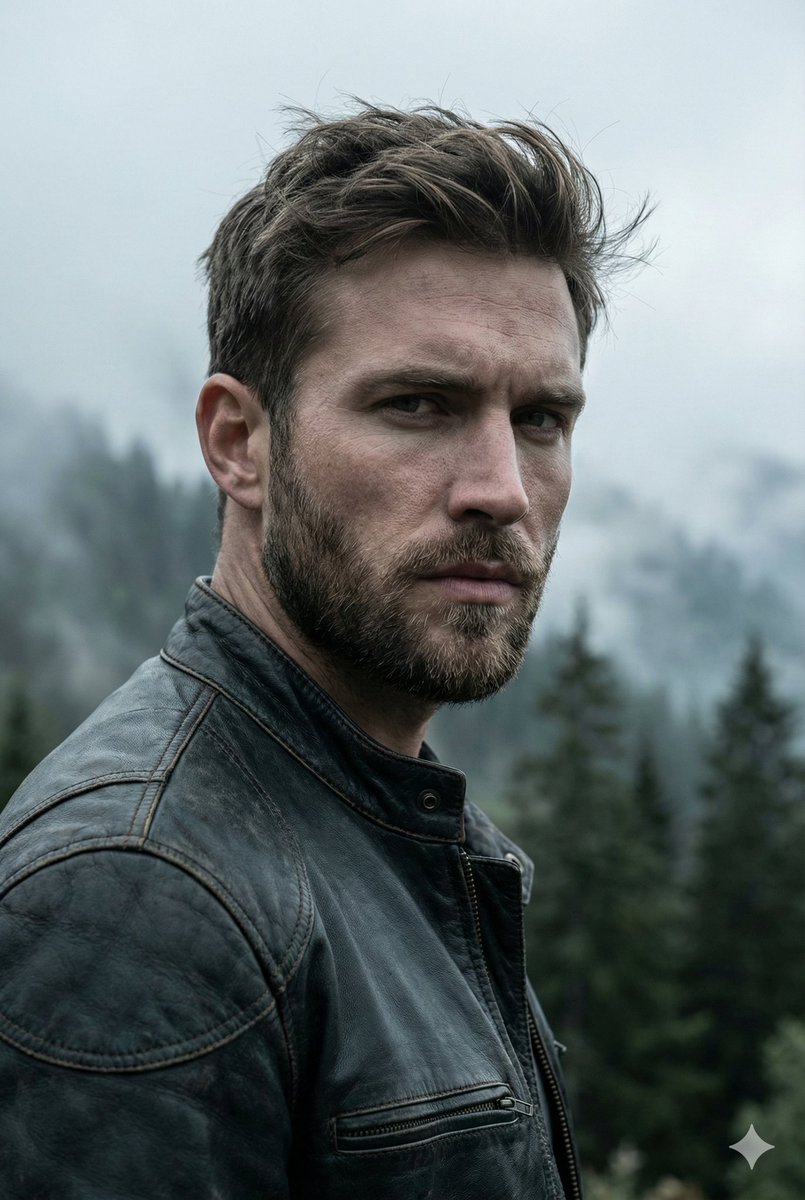
  "render_goal": "Create a hyper-realistic, cinematic portrait with a rugged outdoor adventure aesthetic",
  "subject": {
    "gender": "male",
    "age_range": "mid-to-late 20s",
    "appearance": {
      "hair": "textured, windswept",
      "beard": "short, well-groomed",
      "facial_features": "sharp, chiseled",
      "expression": "intense, serious"
    },
    "skin_detail": "ultra-detailed, natural texture with realistic tones"
  },
  "wardrobe": {
    "outerwear": "worn dark leather jacket",
    "details": "visible stitching, rugged texture"
  },
  "environment": {
    "location": "outdoor mountain landscape",
    "background": {
      "mountains": "misty, fog-covered",
      "trees": "dark evergreen forest fading into distance",
      "atmosphere": "dense atmospheric fog"
    }
  },
  "lighting_and_color": {
    "lighting_style": "moody, cinematic",
    "light_source": "soft overcast daylight",
    "shadows": "dramatic but natural",
    "color_palette": "cool, desaturated tones"
  },
  "camera_settings": {
    "lens": "85mm",
    "aperture": "f/1.8",
    "depth_of_field": "shallow",
    "focus": "razor-sharp on subject, blurred background"
  },
  "photography_style": {
    "quality": "professional photography",
    "realism_level": "hyper-realistic",
    "details": "high micro-detail, crisp textures, cinematic contrast"
  }
}示例图片