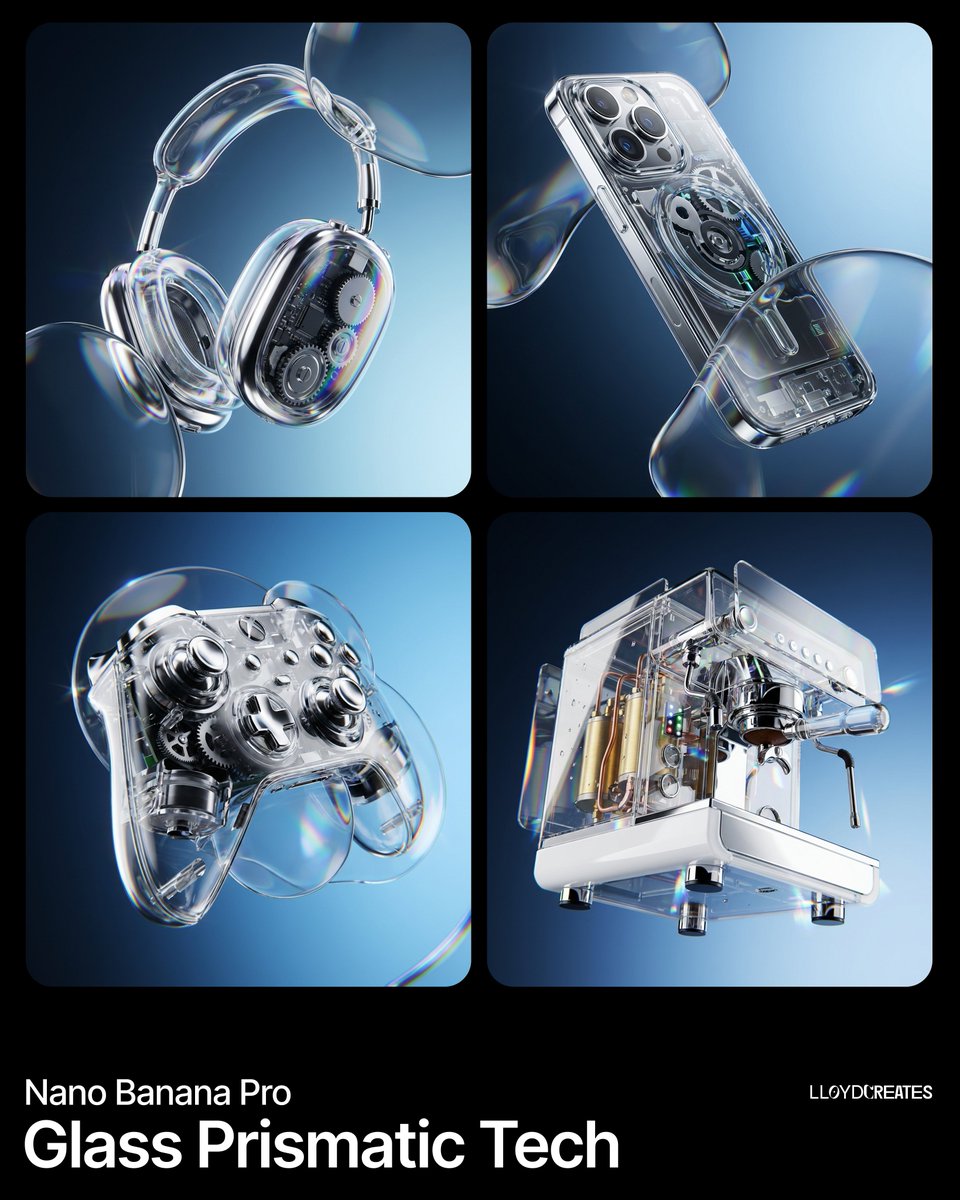
Illustration & 3D
Illustration & 3D Prompt Template
Use Cases
- Suitable for Illustration & 3D AI image generation workflows, with reusable structure for fast iteration.
- Best for product hero shots, packaging proposals, and brand campaign visuals.
Notes
- Replace placeholders (such as
[OBJECT]and{variable}) with concrete subjects and contexts. - Keep core constraints first (composition, lighting, lens, materials), then add style modifiers gradually.
- If results become noisy, reduce prompt density and reintroduce key elements step by step.
#Illustration & 3D
作者@lloydcreates来源链接https://x.com/lloydcreates/status/2019788303214776494
Prompt 模板
{
  "image_generation_request": {
    "subject": "[INSERT PRODUCT HERE]",
    "environment": {
      "background": "A smooth, professional dual-tone gradient transition between #111B24 and #CAEFFF",
      "lighting": "High-contrast studio lighting with bright rim highlights to emphasize glossy textures"
    },
    "style_elements": {
      "aesthetic": "Y2K Frutiger Aero meets modern hyper-realism",
      "optical_effects": [
        "Dynamic glass refraction",
        "Prismatic chromatic aberration at the edges of transparent objects",
        "Iridescent lens flares",
        "Distorted glass overlays floating in the foreground"
      ],
      "composition": "Floating, gravity-defying arrangement with a wide-angle perspective",
      "textures": "Polished chrome, transparent acrylic, and high-gloss plastic"
    },
    "technical_specs": {
      "resolution": "8k UHD",
      "render_engine": "Octane Render style",
      "detailing": "Macro photography focus, hyper-detailed mechanical parts"
    }
  }
}示例图片