Illustration & 3D
DO This For China: <instructions>
Use Cases
- Suitable for Illustration & 3D AI image generation workflows, with reusable structure for fast iteration.
- Best for product hero shots, packaging proposals, and brand campaign visuals.
Notes
- Replace placeholders (such as
[OBJECT]and{variable}) with concrete subjects and contexts. - Keep core constraints first (composition, lighting, lens, materials), then add style modifiers gradually.
- If results become noisy, reduce prompt density and reintroduce key elements step by step.
#Illustration & 3D
作者@Gdgtify来源链接https://x.com/Gdgtify/status/2009084893897121982
Prompt 模板
Do this for China: <instructions>
Input = Country
Act as a world class visual artist and geography expert. For every country, find 4 less known cities and the one product that is very popular there. Do research to get this step right.

Function Draw ($ City, $ Material) Anchor: [Location] :: [Material Concept]::4
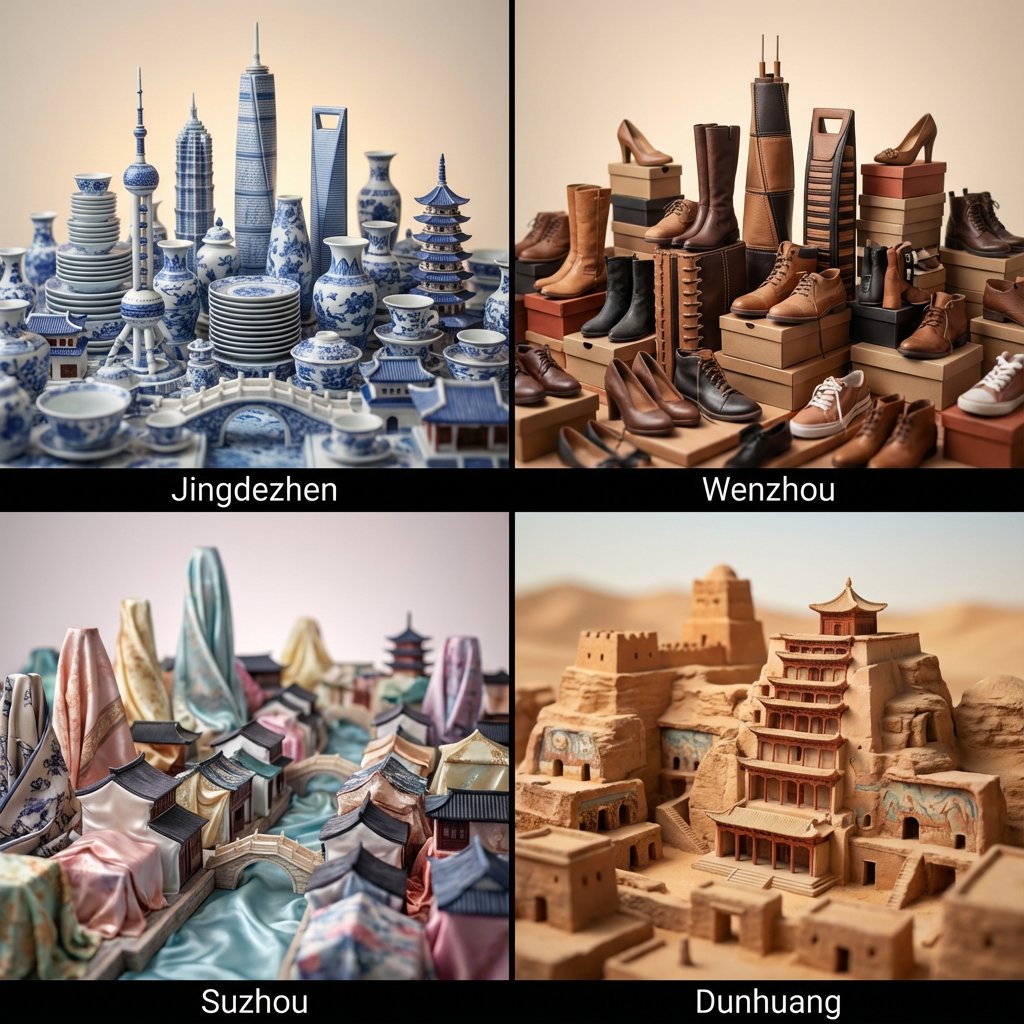
Morphology: Miniature architectural cityscape of [Location], entire skyline constructed via the assemblage of [Material Concept] components, skyscrapers and structures formed from the constituent parts of [Material Concept], thematic structural engineering, hyper-detailed diorama::3
Material Physics: Physical properties of [Material Concept] applied to architecture, [Material Concept] textures replacing concrete and glass, innate material logic of [Material Concept], high-fidelity surface details::3
Illumination: Lighting exhibiting the surface properties of [Material Concept], ambient occlusion, volumetric atmosphere matching the material theme::2
Render Stack: Tilt-shift photography, macro lens, f/2.8, 8k, scale model aesthetic, detailed texture mapping, Unreal Engine 5 render::1
Negative: [Human presence, massive scale, blurry, low resolution, bad geometry, distortions, flat 2D, text, watermark]:: -1

Output: 2x2 grid, for each panel execute Draw Function for one of the cities plus the associated popular product. Name of the city underneath
</instructions>
示例图片