Photography
Photography Prompt Template
Use Cases
- Suitable for Photography AI image generation workflows, with reusable structure for fast iteration.
- Best for product hero shots, packaging proposals, and brand campaign visuals.
Notes
- Replace placeholders (such as
[OBJECT]and{variable}) with concrete subjects and contexts. - Keep core constraints first (composition, lighting, lens, materials), then add style modifiers gradually.
- If results become noisy, reduce prompt density and reintroduce key elements step by step.
#Photography
Author@AmirMushichSource URLhttps://x.com/AmirMushich/status/2026020385305551182
Prompt Template
[PERSON NAME].

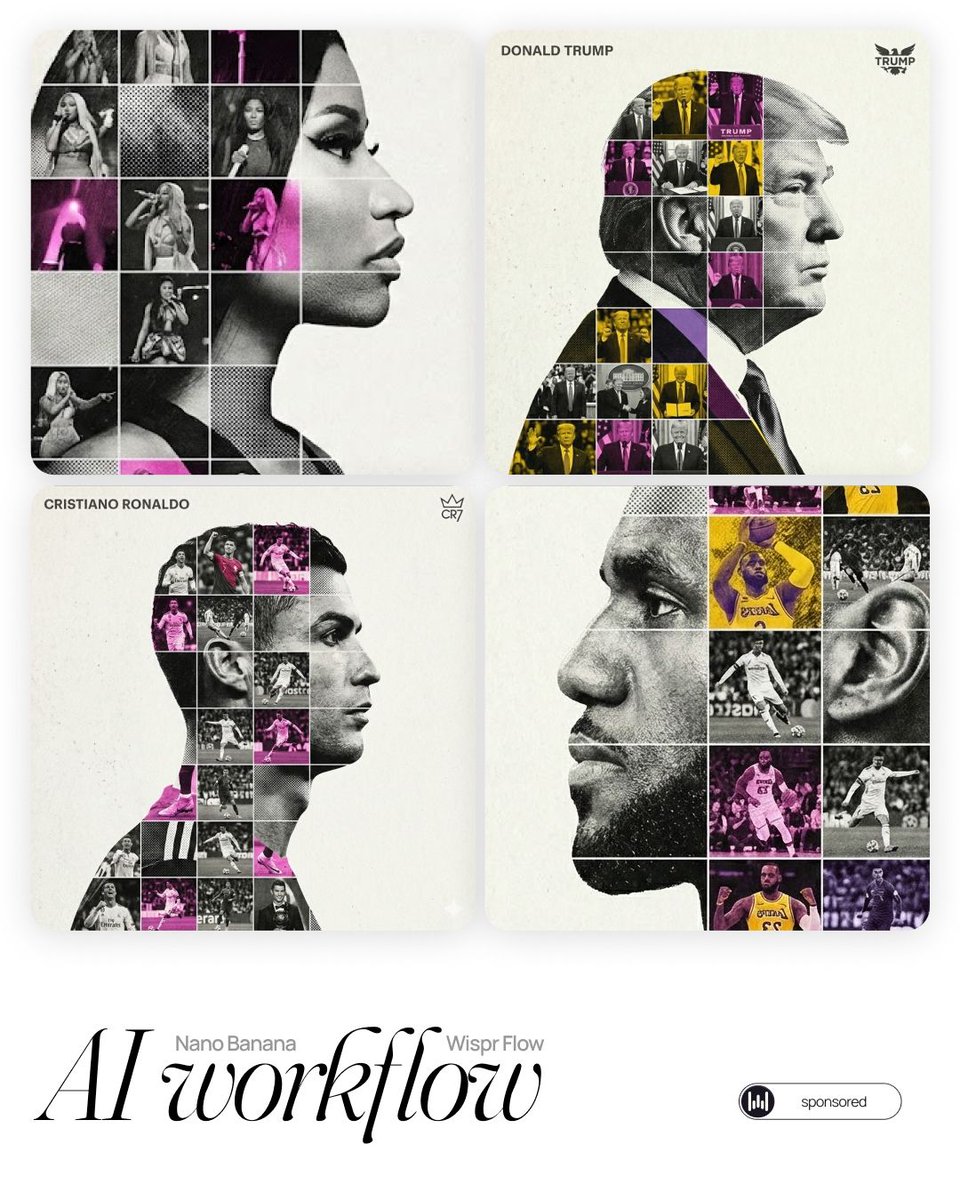
Act as a high-end sports graphic designer creating a conceptual tribute poster. The style is a complex "dual exposure photo-grid composite" with mixed-media textures.
**CENTRAL STRUCTURE (THE VESSEL):**
The central focus is a large-scale, high-contrast black and white portrait silhouette of [PERSON NAME]. This main portrait acts as the container.
**THE GRID FILL & TEXTURES (MIXED MEDIA):**
The interior of the silhouette is populated by a dense "photo mosaic grid" of action shots from the person's career.
**CRITICAL TEXTURE INSTRUCTION:** Do not just paste flat photos. Apply artistic textures to various grid cells to create a tactile, collage feel. Use effects like:

- **Halftone Dots:** Comic-book style raster patterns on some cells.
- **Fabric/Embroidery:** Subtle thread or canvas textures suggesting a jersey or patch.
- **Film Grain:** Heavy noise on specific high-contrast action shots.
**COLOR STRATEGY:**
The base is Monochrome B&W. Use selective color overlays (relevant to the team/flag) ONLY on specific grid cells to create a rhythm.
**TYPOGRAPHY & BRANDING (STRICT MICRO-SCALING):**
1. **Top Left (The Name):** Write "[PERSON NAME]" strictly using the font **Inter Semibold**.
- **Kerning:** Tight negative kerning (-4%).
- **Size:** SMALL and discreet. It must occupy **MAXIMUM 20%** of the canvas width. Do NOT make it large or loud.
1. **Top Right (The Symbol):** Place the primary logo (Team/Brand/Flag).
- **Size:** VERY SMALL. It must occupy **MAXIMUM 10%** of the canvas width.
**COMPOSITION & BACKGROUND:**
- **Background:** Off-white or light grey with a **visible high-quality paper or concrete texture**. It should not be flat digital white.
- **Alignment:** Center the figure perfectly. Maintain wide negative space around the object.
Sample Images