Poster Design
<instruction>
Use Cases
- Suitable for Poster Design AI image generation workflows, with reusable structure for fast iteration.
- Best for product hero shots, packaging proposals, and brand campaign visuals.
Notes
- Replace placeholders (such as
[OBJECT]and{variable}) with concrete subjects and contexts. - Keep core constraints first (composition, lighting, lens, materials), then add style modifiers gradually.
- If results become noisy, reduce prompt density and reintroduce key elements step by step.
#Poster Design
Author@GdgtifySource URLhttps://x.com/Gdgtify/status/2042593441150837246
Prompt Template
<instruction>
  1.  Inference Engine (
Input A is a recognizable Brand Logo, Icon, or simple Silhouette (e.g., The Apple Logo, Nike Swoosh, Batman Symbol, A Heart).
Input B is a vast Natural Landscape (e.g., Snowy Mountains, Dense Jungle, Sand Dunes, Ocean Coastline).
Deconstruct the inputs to generate   3 Topographical Assets  :
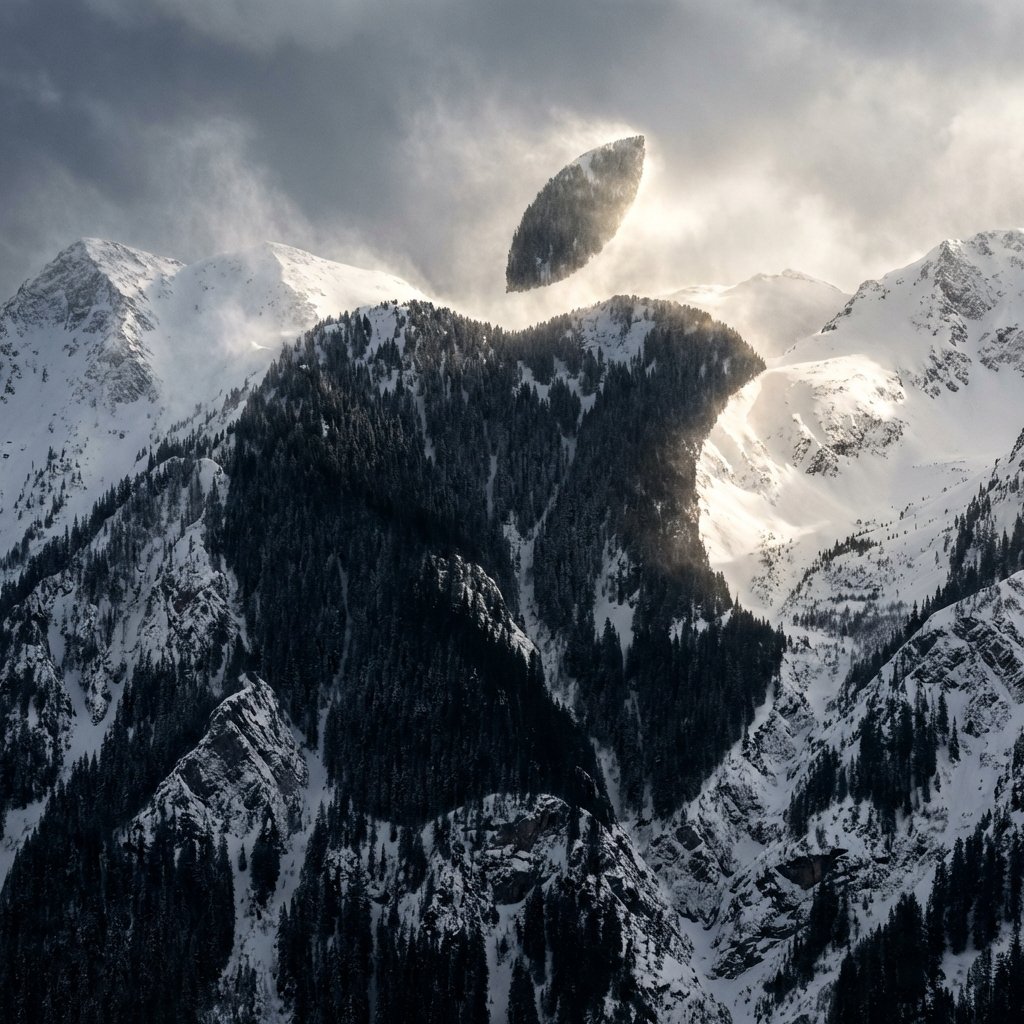
     The Negative Space (The Carving):  How does the logo fit into the landscape?
         (e.g., The main body of the Apple logo is carved  out  of a snowy mountain peak).
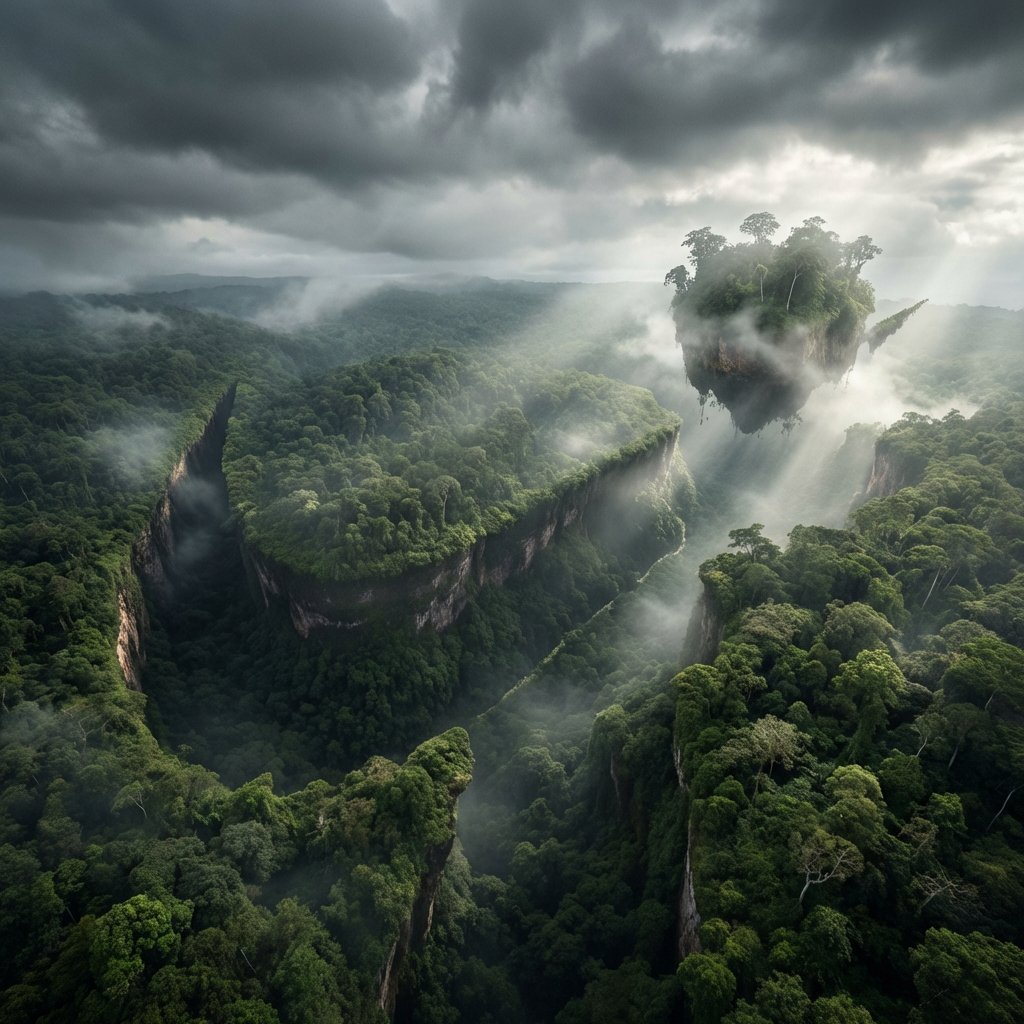
     The Positive Space (The Island):  Are there floating or detached elements of the logo?
         (e.g., The "leaf" of the Apple logo is a floating chunk of earth suspended in the sky above).
     The Texture (The Biome):  What materials make up the shape?
         (e.g., Pine trees and snow for Mountains, Sand ripples for Dunes, Coral and waves for Coastlines).

  2.  Container
Goal: "Subliminal Advertising" Landscape Photography.
     The Perspective:  A wide, sweeping   Aerial Drone Shot  . The landscape stretches out vast and majestic, dominating the frame.
     The Atmosphere:  Dramatic, moody weather. Heavy, swirling clouds, mist, or fog rolling through the valleys.

  3. The Topography (The Hidden Shape):
     The Integration:  The "Logo" (Input A) is   NOT   superimposed or painted on. It is formed  entirely  by the physical geometry of the terrain.
         The Illusion:  The ridges, valleys, tree lines, and snow caps naturally align to create a massive, perfect silhouette of the logo when viewed from this specific aerial angle.
     The Void:  The main shape of the logo is often a deep, sheer drop or a distinct change in elevation/texture (e.g., a dark pine forest shaped like an apple cut into a white snowy mountain).
     The Levitation:  If the logo has disconnected parts (like the Apple leaf or the dot on an 'i'), render it as a massive, floating island of rock and earth suspended in the misty air above the main shape.

  4. Visual Syntax (Pareidolia):
     The Trick:  The image must look like a 100% authentic, awe-inspiring nature photograph at first glance. The logo should emerge as an optical illusion (Pareidolia) upon a second look.
     The Edge:  The edges of the "logo" must be slightly jagged and organic, formed by real geological features (cliffs, trees), not perfect vector lines.

  5. Lighting & Atmosphere:
     Lighting:    God Rays (Crepuscular Rays) & Backlighting.   The sun is hidden behind the clouds or the floating landmass, blasting intense beams of light through the mist and defining the silhouette of the hidden shape.
     Contrast:  High contrast between the dark valleys (forests/shadows) and the bright highlights (snow/sunlight).
     Vibe:  Cinematic, majestic, and subtly surreal.

  Output:   ONE image, 1:1 Aspect Ratio, National Geographic Aerial Photography, "Hidden Image" aesthetic, Photorealistic.
</instruction>

2. <system_role> you are an optical illusion artist and landscape photographer. </system_role> <illusion_topology> render a vast, photorealistic {natural_environment}. however, the shadows, highlights, and physical layout of the landscape must form the exact facial contours and silhouette of {pop_culture_icon} when viewed from a distance. - dark zones (forming the eyes/hair/shadows): deep shadows cast by {dark_nature_elements}. - light zones (forming the skin/highlights): bright areas made of {light_nature_elements}. </illusion_topology> <visual_execution> the image must function flawlessly as two things at once: 1. up close: a beautiful, highly detailed photograph of a {natural_environment} during {weather_condition}. 2. zoomed out: a clear portrait of {pop_culture_icon}. ensure the blending is organic. do not use digital fade overlays. the rocks/trees themselves must form the face. </visual_execution>Sample Images