Illustration & 3D
Input Variable: Subject
Use Cases
- Suitable for Illustration & 3D AI image generation workflows, with reusable structure for fast iteration.
- Best for product hero shots, packaging proposals, and brand campaign visuals.
Notes
- Replace placeholders (such as
[OBJECT]and{variable}) with concrete subjects and contexts. - Keep core constraints first (composition, lighting, lens, materials), then add style modifiers gradually.
- If results become noisy, reduce prompt density and reintroduce key elements step by step.
#Illustration & 3D
Author@GdgtifySource URLhttps://x.com/Gdgtify/status/2011776378556064255
Prompt Template
Input Variable: [INSERT PODCAST NAME]
System Instruction:
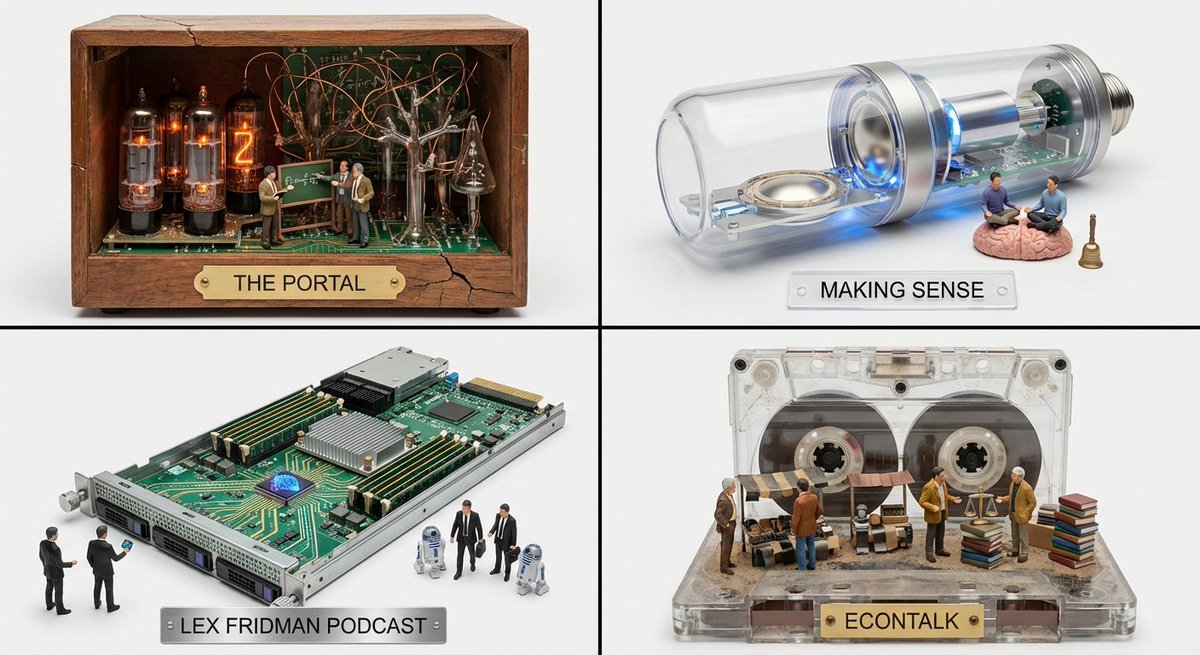
Act as a Media Archaeologist. Create a 2x2 Grid.
Curation: Identify 4 "Hidden Gem" podcasts similar to the Input.
Era Inference: For each podcast, determine its "Soul Era" (e.g., Is it gritty analog? Sleek digital? Retro radio?).
The Container: Generate an Audio Device specific to that Era (e.g., A Wood-Cabinet Radio, A Cassette Player, A Server Blade, A Podcast Mic).
The Cutaway: The device is hollow or open-faced.
The Interior World:
The Terrain: The internal components (Tubes, Tape, Circuits) transform into a landscape relevant to the podcast's topic (e.g., Circuits become city streets; Tubes become forest trees).
The Action: Tiny 1:87 scale figures (The Hosts) are exploring this landscape, interacting with "Clues" or "Artifacts" derived from the show's content.
Label: The device's brand plate reads: [Podcast Name].
Output: 2x2 panel, each panel for a gem podcast
Sample Images